There are 2 ways Blender how to show poly count. One is switch on the statistics on the bottom status bar, another way is to show on top left corner of viewport. We will go through all steps below to see how to show poly count in Blender. I hope this helps.
How to show poly count in Blender
We can follow below steps to show poly count in Blender.
How to Show Poly Count on Status Bar in Blender
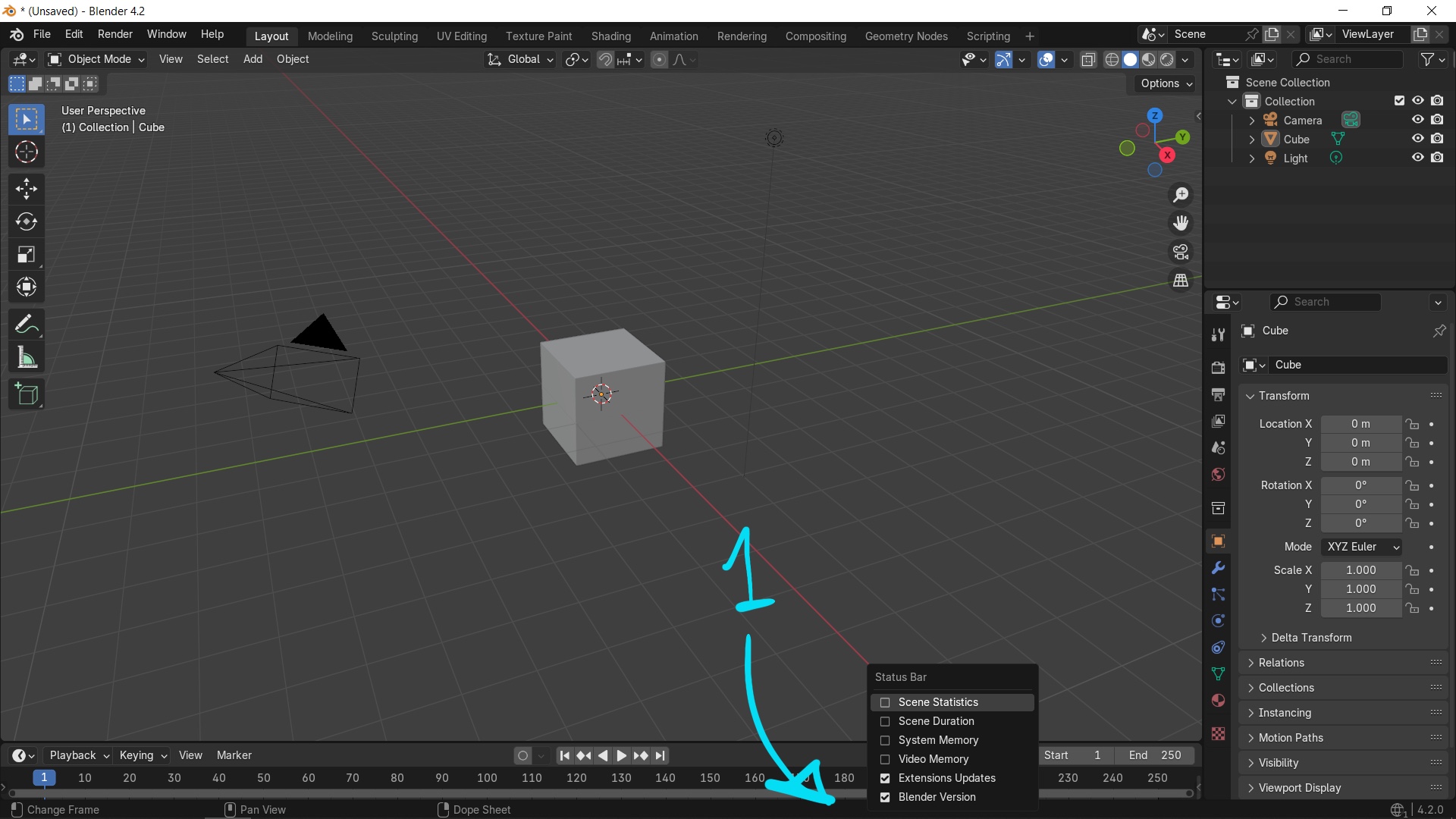
1. Right click on the bottom bar to show the options for Status Bar
 |
2. Check the box Statistics, then Poly Count will be shown on Status Bar

How to Show Poly Count in Viewport in Blender
3. Open Viewport Overlays at top right corner of viewport

4. Check the box Statistics in Viewport Overlays, Poly Count of whole scene is then shown on the top right corner of viewport.

5. If we select an object, we can find the Poly Count of selected object.

Furthermore, we have a video to go through all these steps visually, watch here.
Happy sharing and I hope this helps.
#blender #cgian #blenderian
by cgian
Continues Reading :
Blender How to see size of object
How to show wireframe in Blender
Welcome to share this post with your friend.